How It Works
Three simple steps to connect to any Minecraft server from any Bedrock device.
Add a Bot
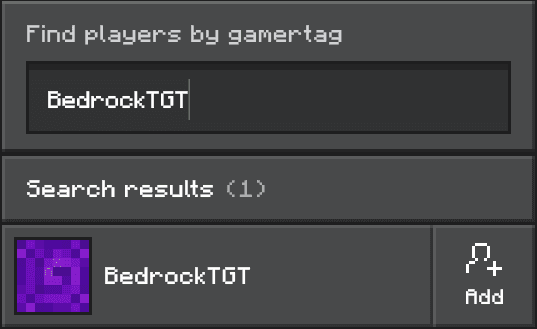
Pick a bot from the list below and add it as a friend from within Minecraft.
Join the Game
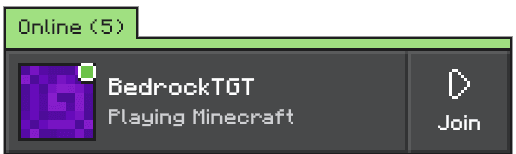
Open Minecraft Bedrock and join the bot’s game from your friends list.
Choose Your Server
You’ll join the BedrockTogether hub, where you can browse and transfer to any server. Works on Xbox, PlayStation, Switch, mobile, and PC.
Available Bots
Pick a bot and add them as a friend from within Minecraft. Choose the one with the most available capacity.
The BedrockTogether Hub
Once you join a bot's game, you'll land in the BedrockTogether hub. Here's what you can do from there.
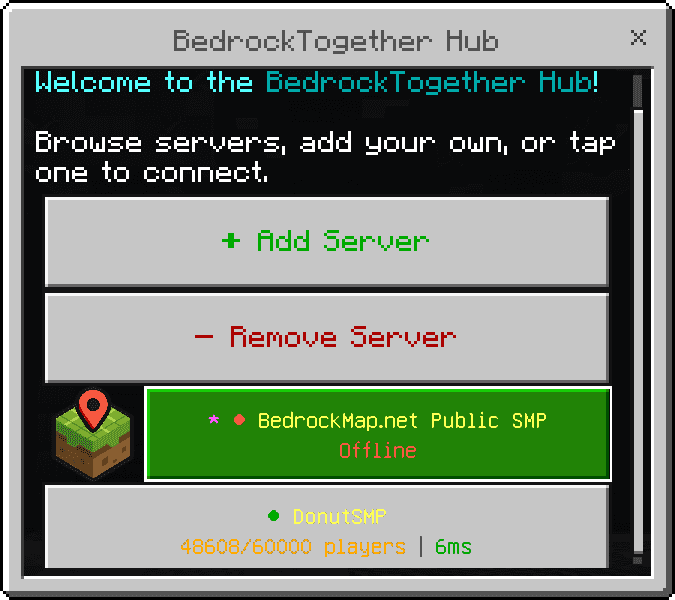
Instant Server Menu
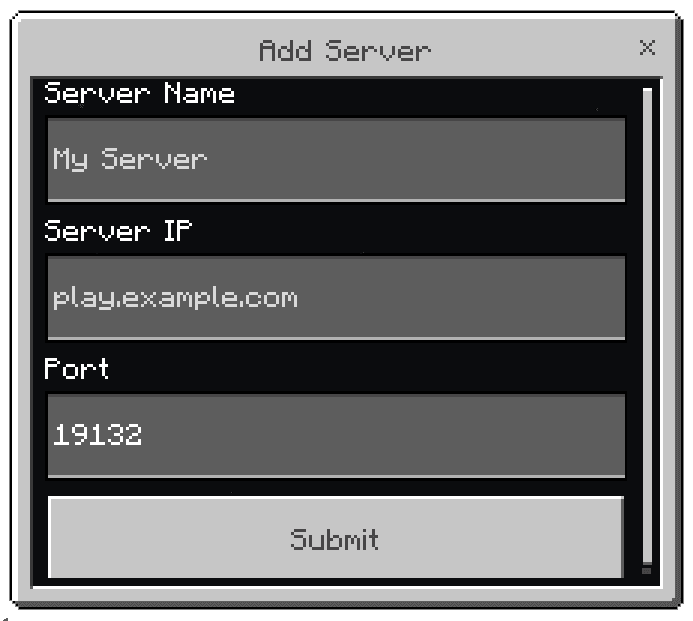
A transfer form appears automatically when you join, showing all your saved servers and any featured servers. Tap one to connect instantly — no typing IPs.
Add Your Own Servers
Save any Bedrock server by name, IP, and port. Your server list is tied to your account and persists across sessions — it'll be there every time you come back.
Live Server Status
Every server is pinged in real time. See player counts, latency, and online/offline status — all colour-coded so you can pick the best server at a glance.
Featured Servers
Curated servers are pinned at the top, marked with a star. Always available to everyone — perfect for discovering popular servers or finding somewhere new to play.
Frequently Asked Questions
Everything you need to know about BedrockTogether.
Yes! BedrockTogether is completely free to use. Just add a bot as a friend and join their game.
Totally safe. You're simply adding a friend and joining their game — that's normal Xbox Live behaviour. There are no mods, hacks, or exploits involved.
Xbox, PlayStation, Nintendo Switch, iOS, Android, and Windows 10/11 (Bedrock Edition).
Yes! As long as you know the IP or address of the server and it supports Bedrock players, you can join it through BedrockTogether.
Make sure the bot is online, and that it has added you back as a friend. If it still doesn't appear, restart Minecraft — the friends list can take a moment to sync.
Nope — one bot is all you need. Adding more than one won't cause any issues though.
Xbox limits each account to 1,000 friends, so every bot fills up eventually. When one does we add more bots. Check the capacity bars above and pick a bot that isn't marked Full.